Backblasts are workout recaps posted after each Q. Members can still post here on the site, and Slack messages tagged with #backblast can be synced into this feed from the region's archive channel too.
Sign in to create a Backblast
Viewing is open to everyone, but posting is reserved for authenticated users so the feed stays useful and trusted.
Posted by Adam WelchAug 27, 2026ArrowheadWorkout Aug 27, 2026
Ten Pax paid their respects through exercise by grinding it through the 9 to 5.
8-27-26
It was a dry morning in the upper 60s as 10 Pax used fitness as a way pay respects to the late Dolly Parton. The playlist: If We Never Meet Again; I Will Always Love You; Coat of Many Colors; World on Fire; 9 to 5; Jolene; Islands in the Stream; Here You Come Again; Purple Rain; Letter to Heaven; Blue Smoke; Home
AO: Arrowhead
Pax: Gutterball (Q), Woz, Zima, Zippo, Jake (R), Bolt, Copy Machine, Collections, Spam, Duggar
FNGs:
Warmup:
Dolly’s Imagination Library has given over 40 million books in 2025 and over 304 million since its founding in 2025
SSH IC x20
TTT IC x10
In the 1980s, rate of students who didn’t graduate high school in Sevier County was upwards of 35%. Dolly went in 1990 and promised 7th graders that if they and a buddy graduate, she would give them both $500. The rate improved to 6%.
Sticky butt kickers IC x10
Imperial walkers, IC x10
Hillbilly walkers IC x10
Dolly has given several million dollar gifts: Hurricane Helene, early COVID research, flooding
LBAC IC x10 fwd/b’erd
Seal claps IC x10
During the wildfires of 2016, Dolly organized a fund to give $1000/month for six months for people affected by the fires.
Dolly recently donated to the UT-Knoxville Children’s Hospital which now bears her name.
The Thang:
Mosey to the carline numbers. Today’s work will be put in between 9-5.
Pax open with 10 pull-ups. Then mosey from spot 12 to 9. Pax did DOLLY, with each letter opening with pull-ups and closing with Hello Dollys. Reps were the number of the carline (9 to 5 = 35 reps, or the distance [for the Obamas])
• Diamond merkins
• Obamas (4 bear crawl paces, 4 merkins, RR)
• Lunges (ea leg)
• LBCx (IC)
• Y-squat jumps
At spot 1, do 10 Hello Dolly’s in cadence.
Jog back to 12 with a sprint between 5 to 9.
Mary:
Freddie Mercuries IC x19
J-Lo’s IC x10
Jobs Plank
Prayer
Moleskin: Dolly’s philanthropic endeavors and positive messages should be an inspiration to us all.
Announcements: None. Episode 174.
🔥💪👏🙌🫡
Discussion
No replies yet.
Want to join the thread? Sign in to reply and react.
Take a Break and Do Pull-Ups
Posted by Adam WelchAug 13, 2026ArrowheadWorkout Aug 13, 2026
Nine Pax endured grueling descending ladders only to find relief by stopping to do pull-ups.
It was a moist, humid morning in the upper 60s. Not much breeze, as 9 Pax chose to stand up from bed at a time when most others would not. Welcome back Jester – interesting how Jester returns and the swag trailer disappears. Was he inside it the whole time? What kind of Fight Club nonsense is going on here?
AO: Arrowhead
Pax: Gutterball (Q), Jake (R), Duggar, Zima, Jester, Woz, Treble Maker, Bolt, Copy Machine
FNGs: None
Warmup:
SSH IC x15
Let’s call it the Proposal (Kneeling hip flexor stretch https://www.youtube.com/watch?v=jbj6MeoQkcI).
Imperial walkers IC x10
Sticky Butt Kickers IC x10
Through the tunnel IC x10
LBAC IC x10 fwd/b’erd (in a Swiss accent)
Seal Claps IC x10
The Thang
Simple on paper. A descending ladder using the carline numbers. Starting at 12 (reps), down to 1 (rep).
• Merkins
• Curls
• Block Squats
• Overhead Press
• Bent Over Rows (No one got here – ran out of time)
That’s 78 reps - but here’s the twist, the group took a break. This break was determined at random by rolling an abnormally large and lit up set of dice. Whatever number is rolled, Pax would skip that sequence in the carline and run over to do Pull-ups in its place – then continue to one.
Fun fact, we rolled: Merkins 6, Curls 8, Squats 7, OH Press 7.
Mary
None
Prayer: For Jester’s family and Zippo’s family.
Moleskin: Don’t say the word sneeze when you sneeze
Announcements: Meet the Mountains Saturday Q (Arrowhead closed) 0600 at the Winged Deer amphitheater. Stay for the festival and work the F3 booth for an hour or so. Episode 173.
🔥💪👏🙌🫡
Discussion
No replies yet.
Want to join the thread? Sign in to reply and react.
Ultimate Football: Burpees Before Dawn
Posted by Adam WelchJul 14, 2026ArrowheadWorkout Jul 14, 2026
13 Pax played Ultimate Football where burpees were the penalty for dropping the ball
Overcast morning in the upper 60s as 13 Pax joined to play the unofficial game of Arrowhead: Ultimate football. It was also the 7th and final iteration of YHC’s tour through the decades of music. The challenge lies in getting every song title into this backblast. Am I Savage? Maybe a little. But for today, the Pax rode on a Wagon Wheel down the Old Town Road to the Thrift Shop. Let’s play.
AO: Arrowhead
Pax: Gutterball (Q), Daisy, Dr. Lector, Jake (R), Duggar, Zima, Treble Maker, Futon, Bolt, Copy Machine, Chicken Jockey, Steve
FNGs: Matador
Warmup: We started the warmup a little different with Pompeii style doing 20 Rocky Balboas. Then a dynamic workout between the crosswalks.
Slow high knees (pulling knees to chest)
Toy soldiers
Butt Kicks
Marios
Karaoke
Figure 4s
Bernie Sanders
Overhead claps IC x10
Seal claps IC x10
Shoulder pretzels IC x10
The Thang
Time for the Party Rock Anthem. We played ultimate football. Captains were identified and two teams were formed. For the sake of conversation, let’s call team one: Despacito. Let’s call team two: Gagnam Style.
Turn Down for What: for a turnover in possession, everyone did a burpee. And there were lots of burpees – especially in the beginning, when Pax got into that Uptown Funk in between the light posts where it was hard to see.
After each score, everyone did one exercise for 1 minute:
1. Merkins
2. Squats
3. Carolina Dry Docks
4. Freddie Mercuries
1. Merkins
Final Score: Gagnam Style 3, Despacito 2. They Get Lucky.
Mary
None
Prayer: For our country and for those at VBS.
Moleskin: None
Announcements: Welcome FNG Matador. See Slack channel for special announcements. F3 Dads Aug 1, 0700 at Warrior’s Path island. Episode 172.
🔥💪👏🙌🫡
Discussion
No replies yet.
Want to join the thread? Sign in to reply and react.
Gutterball Buffet
Posted by Adam WelchJun 30, 2026ArrowheadWorkout Jun 30, 2026
14 Pax had Whatever You Like at the Gutterball Buffet
Room temperature is usually delightful when eating a meal but when you go to the buffet outside, room temperature just feels steamy and hot, as 14 Pax would attest this morning. But we at Arrowhead do these things a little Harder, Better, Faster, Stronger until it starts to Feel Good, Inc.
AO: Arrowhead
Pax: Gutterball (Q), Jester, Daisy, Crampon (R), Jake (R), Woz, Jobs, Bisquick, Zima, Decoy, Brick Layer, Bolt, Copy Machine, Dirt Bike Kid
FNGs: None
Warmup: Apparently, I Stand Alone in my ability to count (or miscount) when music is playing
Motivators from 5
TTT IC x10
Willie Mays Hays IC x10
Sticky Butt Kickers IC x 10
Jest-A-Stretch
Imperial Walkers IC x10
LBAC IC x10 fwd/b’erd
Seal Claps IC x10
The Thang
Welcome to the Gutterball Buffet where Pax can have Whatever You Like. If workouts were a form a romance, then this Q is your chance to be Polyamorous. Enough with the Toxicity, Pax were instructed to Lose Yourself in each course of the buffet. Do any of the exercises for any number of reps so long that the total reps of the group was met. For example, in the Appetizer, if you wanted to Stricken yourself to 100 pull-ups, you can. Or, you could split the reps 20 x 5 exercises. Robert, B.O.B., William, Bill, it’s all the same – you decide what you want at this buffet.
Appetizer – 100 reps total
Curls
Bent Over Rows
Overhead Press
Carolina Dry Dock
Pull-Ups
Run to end, 10 Freddie Mercuries (2ct) at each light post coming back. [Random thought, if five thousand Pax simultaneously did overhead presses, that’s Ten Thousand Fists in the air].
Appetizer was no joke. On to the Main Course – 200 reps total
Step-Ups
Pickle Pointers
Monkey Humpers
Lunges
Block Squats
Run to end, 10 Freddie Mercuries (2ct) at each light post coming back.
The main course was a burner, My Apocalypse came with Dessert – 150 reps total
Dips
Up/Down Planks
Incline Merkins
Merkins
Decline Merkins
Run to end, 10 Freddie Mercuries (2ct) at each light post coming back.
Mary
We ate so much at the buffet, we couldn’t Breathe.
Prayer: Roberts family
Moleskin: None
Announcements: Strong work gentlemen. Welcome Decoy, not from The State of Massachusetts, but moved here from F3 Raleigh. Episode 171.
🔥💪👏🙌🫡
Discussion
No replies yet.
Want to join the thread? Sign in to reply and react.
Backblast!
Posted by U0AJJQV7LH5May 20, 2026Tornado-alleyWorkout May 20, 20262 PAX counted
Backblast! Storm Surge Run DATE: 2026-05-20 AO: Tornado-alley Q: PAX: FNGs: none COUNT: 2 2 PAX showed up to put in some miles and better their cardiovascular systems, on a 63 d...
Backblast!
Storm Surge Run
DATE: 2026-05-20
AO: Tornado-alley
Q:
PAX:
FNGs: none
COUNT: 2
2 PAX showed up to put in some miles and better their cardiovascular systems, on a 63 degree beautiful morning.
and got together for our routine Wednesday morning cardio day. The PAX ran 3.4 miles and had stops to get some exercises in (and take a breather).
Stop 1: 25 Merkins
Stop 2: 25 Squats
Stop 3: 25 Freddie's
Stop 4: 20 calf raises (three-ways)
Ran the rest of the way to get to our 3.0-3.5 mile goal.
Great conversations and fellowship as usual.
Mary: no time
Prayers: Mason family and pregnancy. Bobbers 2.0s recovery and FIL knee replacement recovery
🔥💪👏🙌🫡
Discussion
No replies yet.
Want to join the thread? Sign in to reply and react.
Storm Surge Run
Posted by Andrew BowlingMay 20, 2026Tornado-AlleyWorkout May 20, 2026
2 PAX showed up to put in some miles and better there cardiovascular systems, on a 63 degree beautiful morning.
@Astro and @bobber got together for our routine Wednesday morning cardio day. The PAX ran 3.4 miles and had stops to get some exercises in (and take a breather).
Stop 1: 25 Merkins
Stop 2: 25 Squats
Stop 3: 25 Freddie's
Stop 4: 20 calf raises (three-ways)
Ran the rest of the way to get to our 3.0-3.5 mile goal.
Great conversations and fellowship as usual.
🔥💪👏🙌🫡
Discussion
No replies yet.
Want to join the thread? Sign in to reply and react.
Flannels and Starter Jackets
Posted by Adam WelchMay 19, 2026ArrowheadWorkout May 19, 2026
5 Pax reminisced about the 90s with a series of workout trifectas
It was a warm and calm morning in the mid 60s as 5 Pax pushed aside their flannels and Starter jackets to find the right workout gear for today’s Q. The 90s were on the radio. What a decade. Lots of Hokus Pokus, much of which is inappropriate for a family-friendly workout. But we did a little Humpty Dance in the preworkout, when Jester commented to YHC that there’s Nuthin But a G Thang. Time to get Sober. Before we go The Distance, let’s find the clean playlist and Make Em Say Uhh.
AO: Arrowhead
Pax: Gutterball (Q), Jester, Daisy, Crampon (R), Woz
FNGs: None, maybe some will come in One Week
Warmup:
Motivators from 5
TTT IC x10
Willie Mays Hays IC x5
Etch-A-Stretch
LBAC IC x10 fwd/bwd
Seal Claps IC x10
The Thang:
Pax were like Bulls on Parade working through sets of three exercises that increased in intensity but decreased in reps. YHC posted a Wienke so no one was going in Blind.
• 20: Incline Merkins
• 15: Merkins
• 10: Mike Tysons
Run to the fire hydrant and back – the only time there was a breeze.
• 20: Squats
• 15: Block squats (back)
• 10: Block squats (front)
Run to the fire hydrant and back.
• 20: Overhead press
• 15: Carolina Dry Docks
• 10: Pull-ups
Run to the fire hydrant and back.
• 20: LBCs
• 15: Freddies (2ct)
• 10: V-Ups
Run to the fire hydrant and back.
Rinse and repeat. Light a Cigarette and Enter the Sandman for this Sandstorm. The twist was a randomly played Tubthumping which involved SSH and burpees as determined by the song.
Mary:
YHC actually Sabatoged the Mary by cutting off the Beastie Boys to play Da’ Dip for 5 Freak Nastys on each side.
Lastly, we did Alphabet Aerobics with our legs.
Prayer
Moleskin: None
Announcements: Murph on Monday. Sign up for your heat (0600, 0700) on Slack. Over 3.5 hours of unheard music on this playlist. Gotta love the 90s. Episode 170.
🔥💪👏🙌🫡
Discussion
No replies yet.
Want to join the thread? Sign in to reply and react.
Vern but with Rows instead of pullups
Posted by Andrew BowlingMay 4, 2026Tornado-alleyWorkout May 4, 2026
2 PAX should up on a 42 degree crisp morning to do a version of the the Vern.
Start
3/4 mile run around towne acres
Next was 5 rounds of the exercises below, after each exercise the PAX had to run 100 yards
20 bent over rows, tornado Alley lost the playground due to construction
20 Merkins
25 dips
30 LBC
And to finish it off after five rounds another 3/4 run around the school
🔥💪👏🙌🫡
Discussion
No replies yet.
Want to join the thread? Sign in to reply and react.
It was a Stormy Morning
Posted by Adam WelchApr 28, 2026ArrowheadWorkout Apr 28, 2026
You may be cool, but you're not4 Pax at #arrowhead lifting cinder blocks, rocking to 80s music, under a portico, in a thunderstorm cool
It was a stormy, Crazy Train of a morning in the mid 50s as 4 brave Pax came to hold each other accountable. A Total Eclipse of the Heart. 80s music was the motivation. Since working out in the normal spot seemed undesirable, we chose to Seek & Destroy the workout under the portico for some pain and Paradise by the Dashboard Light.
AO: Arrowhead
Pax: Gutterball (Q), Jester, Daisy, Jake (R)
FNGs: None, not even Tom Sawyer
Warmup:
SSH IC x20
TTT IC x10
Willie Mays Hays IC x10
Sticky Butt Kickers IC x10
Etch-A-Stretch
Imperial Walkers IC x10
LBAC IC x10 fwd/b'erd
Seal Claps IC x10
The Thang:
With the rain, YHC spent time and Money for Nothing as we had to audible. A deck of cards was in order for Whom The Bell Tolls. Here was the Atomic Dog of a workout:
Hearts: Merkins
Diamonds: Pickle Pointers
Clubs: Curls
Spades: Squat Thrusters
Jokers: 1-min wall sit
Aces: The Devil Went Down to Georgia, but we weren't running outside, so Aces became 25 Freddie Mercuries IC
Mary:
Heels to Heaven IC x10
V-Ups x10
LBCx IC x15
Jobs Plank
Moleskin: YHC told a story of an elite runner from Africa that placed broke an unbeatable record at the London Marathon of sub-2 hours. He gave is all and vomited right after crossing the finish line. Never before had sub 2 hours been done in an official race - until 11 seconds earlier when someone else won the race. 2 people, same race, both sub 2 hours. One gets 2nd even though he crushed an achievement never done before. At F3, Pax should not compare themselves to anyone else. Run the race for yourself. you v you. Here's to you, Yomif Kejelcha at 1:59:41. And here's to you Sabastian Sawe, at 1:59:30. Episode 169.
🔥💪👏🙌🫡
Discussion
No replies yet.
Want to join the thread? Sign in to reply and react.
Murph and Morph
Posted by Adam WelchApr 9, 2026ArrowheadWorkout Apr 9, 2026
10 Pax grinded through Murph training with his twisted brother Morph, all over 70s tunes and a bicycle race.
I wrote and entire Backblast, witty and fun, embedding all the song titles from today's workout. Clicked Post Backblast - it didn't work, then I lost all I typed.
Screw you, I'm not typing it over again.
episode 168.
🔥💪👏🙌1🫡
Discussion
No replies yet.
Want to join the thread? Sign in to reply and react.
Beer Runs
Posted by Rick HessApr 7, 2026IronhorseWorkout Apr 7, 2026
6 PAX celebrated National Beer Day
Disclaimer - Sugar
April 7th is National Beer Day. Who’s thirsty?
Warm-up
SSH IC x 24
Seal Claps IC x 12
Overhead Claps IC x 12
TTT IC x 12
WMH R/L
Tennessee Rocking Chairs IC x 12
Slerkins IC x 6
The Thang
Start with a Beer Run to the abandoned kegs behind the former Wild Wing Café.
• 6 burpees
• 12 squats
• 24 reverse crunches
Mosey back to amphitheater to crack some cold ones – ALE, IPA and STOUT
• 20 American Hammers (R/L = 1)
• 20 LBC
• 20 Elf on Shelf
• 10 Imperial Blocker
• 20 Plank Jacks
• 30 Alternating Shoulder Taps
• 20 Scorpion Dry Docks
• 20 Twinkle toes
• 20 Outlaws
• 20 Up Right Rows
• 20 Thrusters
Mosey for another Beer Run. Rinse and repeat x 3. After 2 rounds, the buzz was real, so we took a detour for a 2-minute wall sit then returned to the amphitheater to finish off the
Mary
Sweat angels, Pickle pointers, Rosalita, Flutter kicks and Freddie Mercuries
Announcements
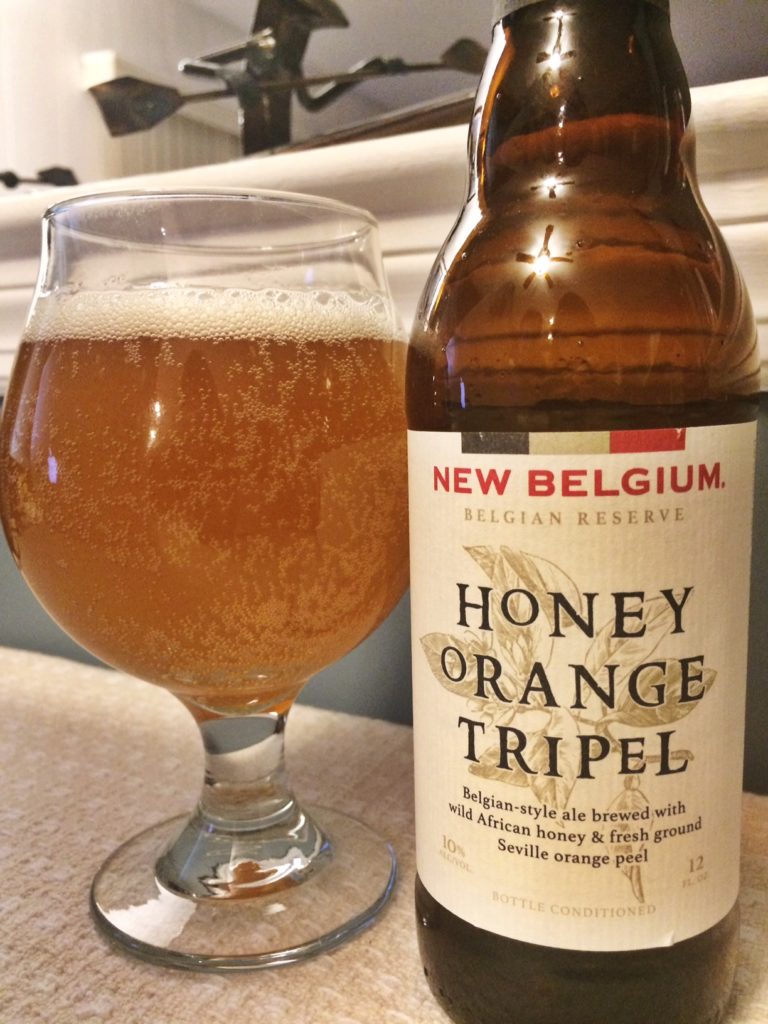
YHC’s favorite beer is Honey Orange Tripel. Samples distributed to PAX.
COT/Prayer
Prayers for Culture Club’s mom whose health is declining, Vila’s sister needing new treatment and Beegus’s potential move to Elizabethton.
IMG_3352-1-768x1024.jpg
🔥💪👏🙌🫡
Discussion
No replies yet.
Want to join the thread? Sign in to reply and react.
*Backblast! Tornado Alley*
Posted by LaunchpadSep 4, 2026
*Backblast! Tornado Alley* *DATE*: 2026-09-04 *AO*: Tornado Alley *Q*: Launchpad *PAX*: Astro, Launchpad *FNGs*: None *WARMUP:* _SSH, WMH, Through the tunnel. mosey lap around A...
*Backblast! Tornado Alley*
*DATE*: 2026-09-04
*AO*: Tornado Alley
*Q*: Launchpad
*PAX*: Astro, Launchpad
*FNGs*: None
*WARMUP:* _SSH, WMH, Through the tunnel. mosey lap around AO_
*THE THANG:* _Deck of Cards_
:orange_heart: _- merkins_
:diamonds: _- squats_
:spades: _- curls_
:clubs: _- overhead press_
_Face cards 10 reps_
_Aces 11_
_Numeric face value_
_Jokers - 20 Freddy mercurys in cadence_
_Focus on strict form_
10 cards shy of completing deck
COT: both pax dealing with respiratory junk. Pray for good health and healing.
Prayers for good travek for Bobber and family as well as everyone else on this holiday weekend.
🔥💪👏🙌🫡
Discussion
No replies yet.
Want to join the thread? Sign in to reply and react.
Way to get after it ya’ll :fire:
Posted by Paddy WagonJul 24, 2026
Way to get after it ya’ll :fire:
Way to get after it ya’ll :fire:
🔥💪👏🙌🫡
Discussion
No replies yet.
Want to join the thread? Sign in to reply and react.